
Export & publishing
Publishing websites, PDF, Word, Darwin Core Archive and other data formats; preview and templates.
Export turns your project into a publication: a static website ready to upload to any host, a print-ready PDF book, a Word document, or standard data to share.
Exporting one species#
The Export button in the entity header creates one file for that species only: PDF, Word, standalone HTML (images embedded in the file), Excel, CSV, JSON or XML.
Exporting the project#
Open Export (⌘E).
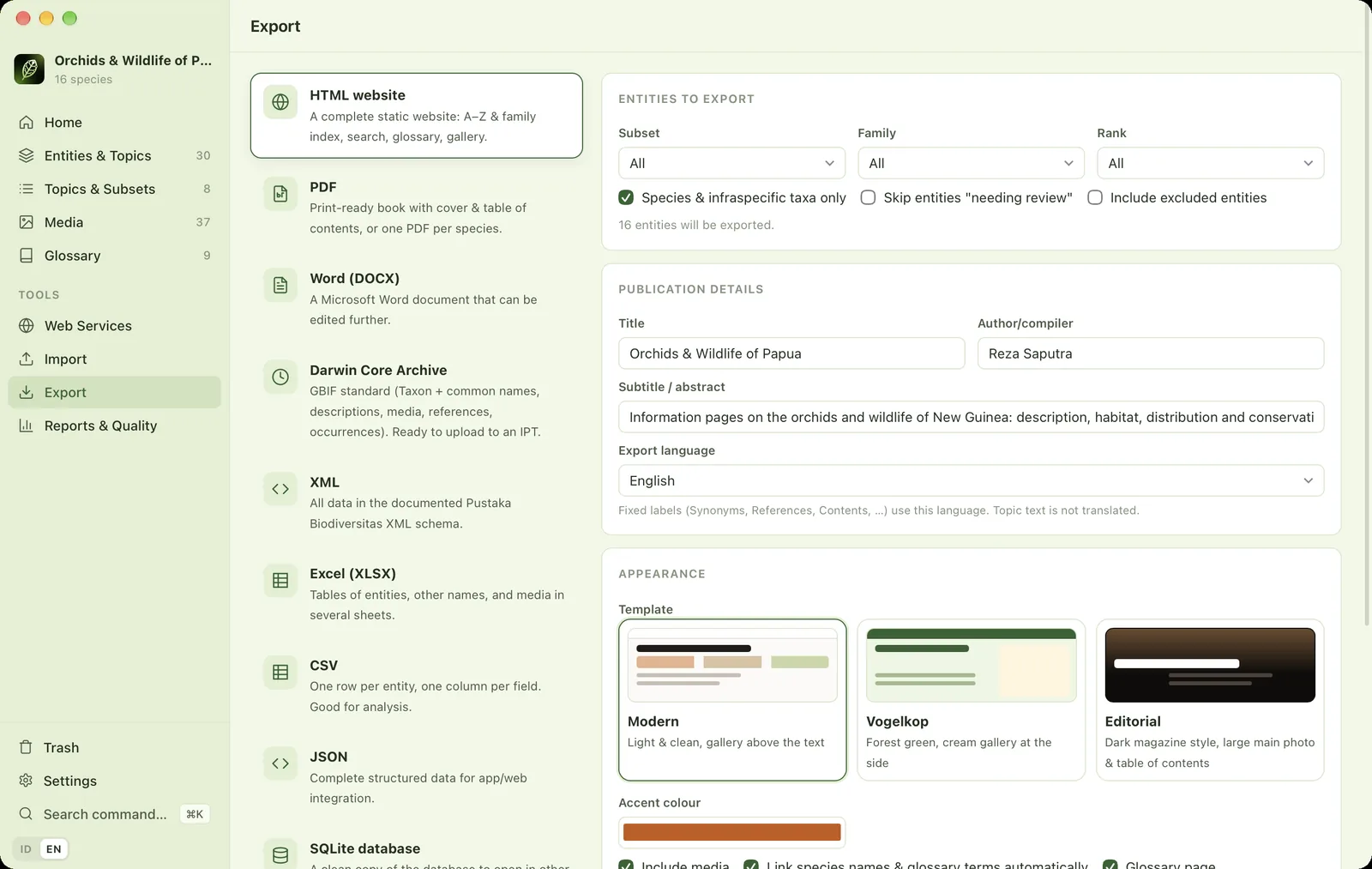
- 1FormatHTML website, PDF, Word, Darwin Core Archive, XML, Excel, CSV, JSON or SQLite.
- 2Entities to exportFilter by subset, family and rank.
- 3Entity optionsSpecies only, skip those needing review, include excluded entities.
- 4Number of entitiesHow many entities will be exported with the current choices.
- 5Publication detailsTitle, authors and subtitle. Remembered per project.
- 6Export languageLanguage of the fixed labels (Synonyms, Distribution map, ranks…). Follows the interface language by default; topic text is not translated.
- 7TemplateModern, Vogelkop, Editorial or one of your imported templates. Further down: accent colour, media, automatic links, glossary page, occurrence table, image size and watermark.
- 8Accent colourThe main colour of the exported website.
| Format | Result |
|---|---|
| HTML website | A complete static site: A–Z and family indexes, instant search, galleries, automatic links between species, a glossary with tooltips, and occurrence tables. Upload the folder to any host. |
| A print-ready book with cover and table of contents, or one PDF per species. | |
| Word (DOCX) | A document you can keep editing. |
| Darwin Core Archive | Taxon with the VernacularName, Description, Multimedia, Reference, Distribution and Occurrence extensions, plus meta.xml and eml.xml. Ready to upload to an IPT/GBIF. |
| XML, Excel, CSV, JSON, SQLite | Structured data for analysis, integration or backup. |
The export language (Indonesian or English) sets the fixed labels in websites, PDF, Word and Excel, such as "Synonyms", "Distribution map" and rank names. It follows the interface language by default. Topic text is exported as written; it is not translated.
When finished, click Open result or Show in FinderFile Explorer.
Information page preview#
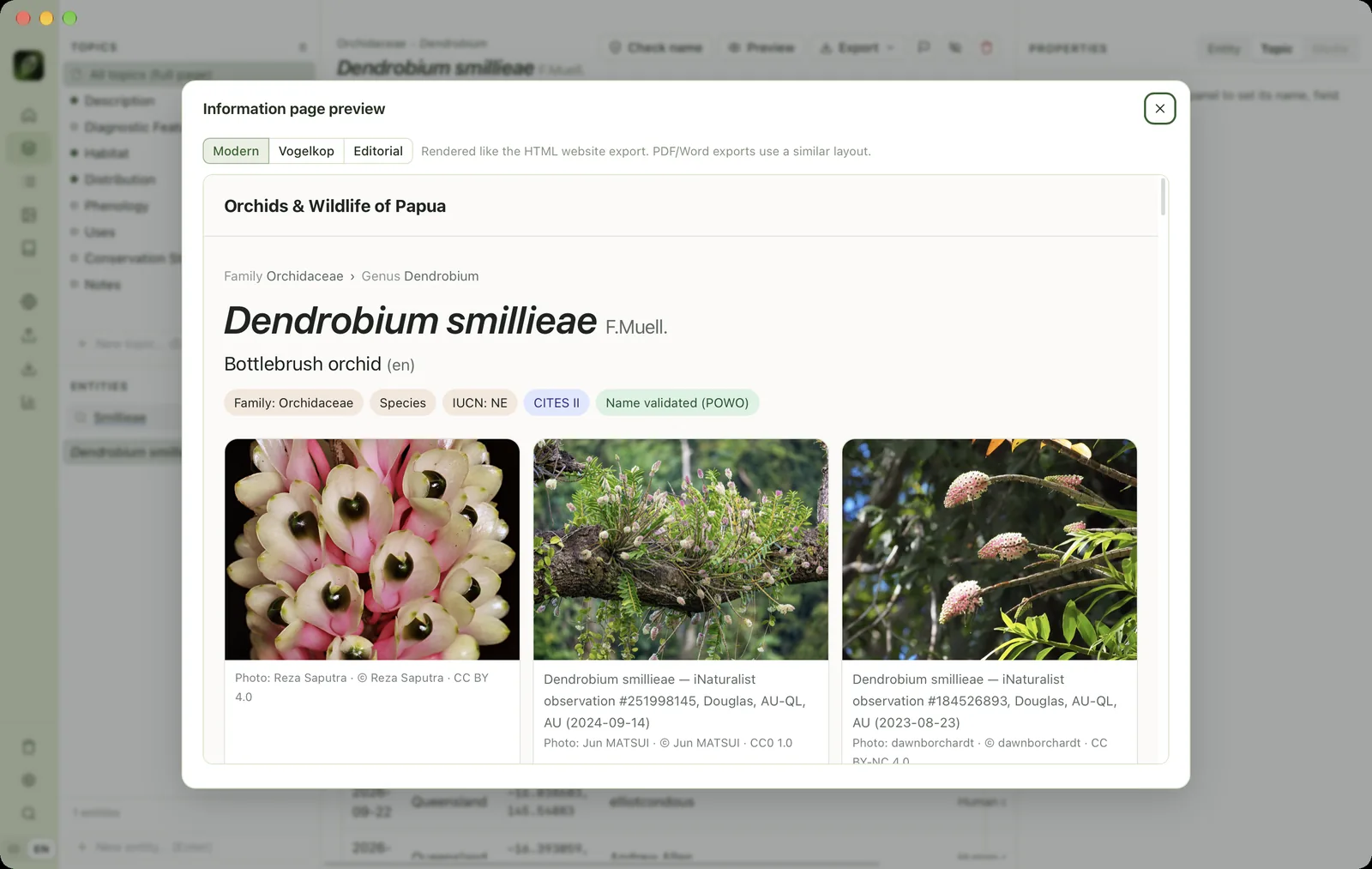
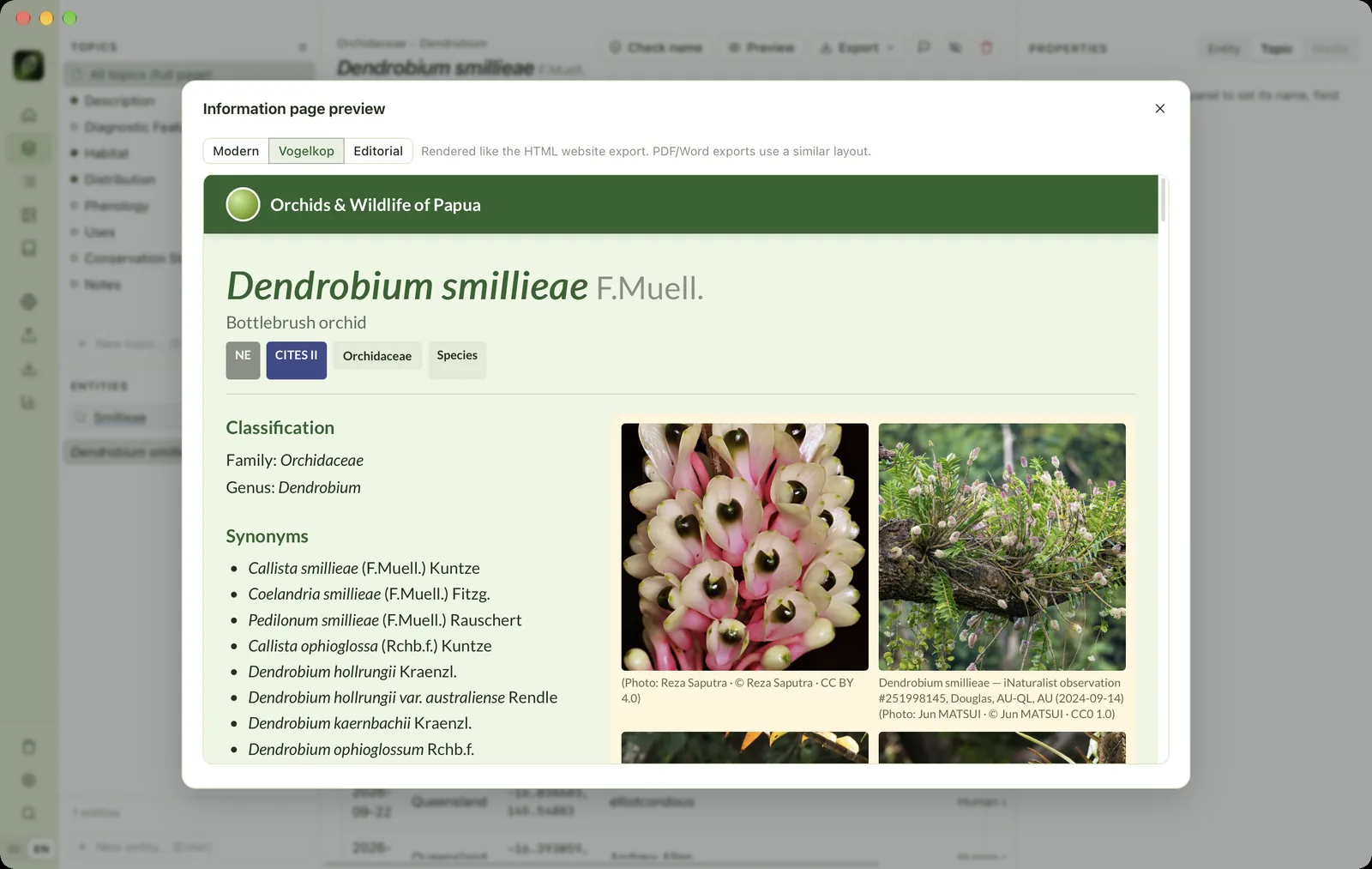
Click Preview in the entity header (⇧⌘P) to see the information page exactly as the HTML export will show it, and switch between templates.
Templates#
Three templates are built in: Modern (light and clean, gallery above the text), Vogelkop (forest green, cream gallery at the side) and Editorial (dark magazine style, large main photo). You can also make your own:
- Open Settings → Information page templates and click Export on the template you want to start from. The result is a
.zipfile. - Edit
base.html,sheet.html,index.html,glossary.html(Jinja syntax) andstyle.cssinside it. Change the name and description intemplate.json. - Zip it again, then click Import template….
Imported templates are available to every project. Templates with syntax errors are rejected on import, with the file name and line of the error. Copy makes a copy you can edit directly in FinderFile Explorer, and changes show up immediately in Preview.
Attribution & licences in exports#
Every picture in an export is labelled with its caption, photographer, copyright holder and licence. The project's data licence (set in Settings → This project) is printed on the website and in eml.xml. Make sure every media item has a licence that allows the use you have in mind. See Photo & data licences.