
AI Assistant & MCP server
Asking the AI assistant questions and giving it tasks with your own API key, a local model, or through MCP.
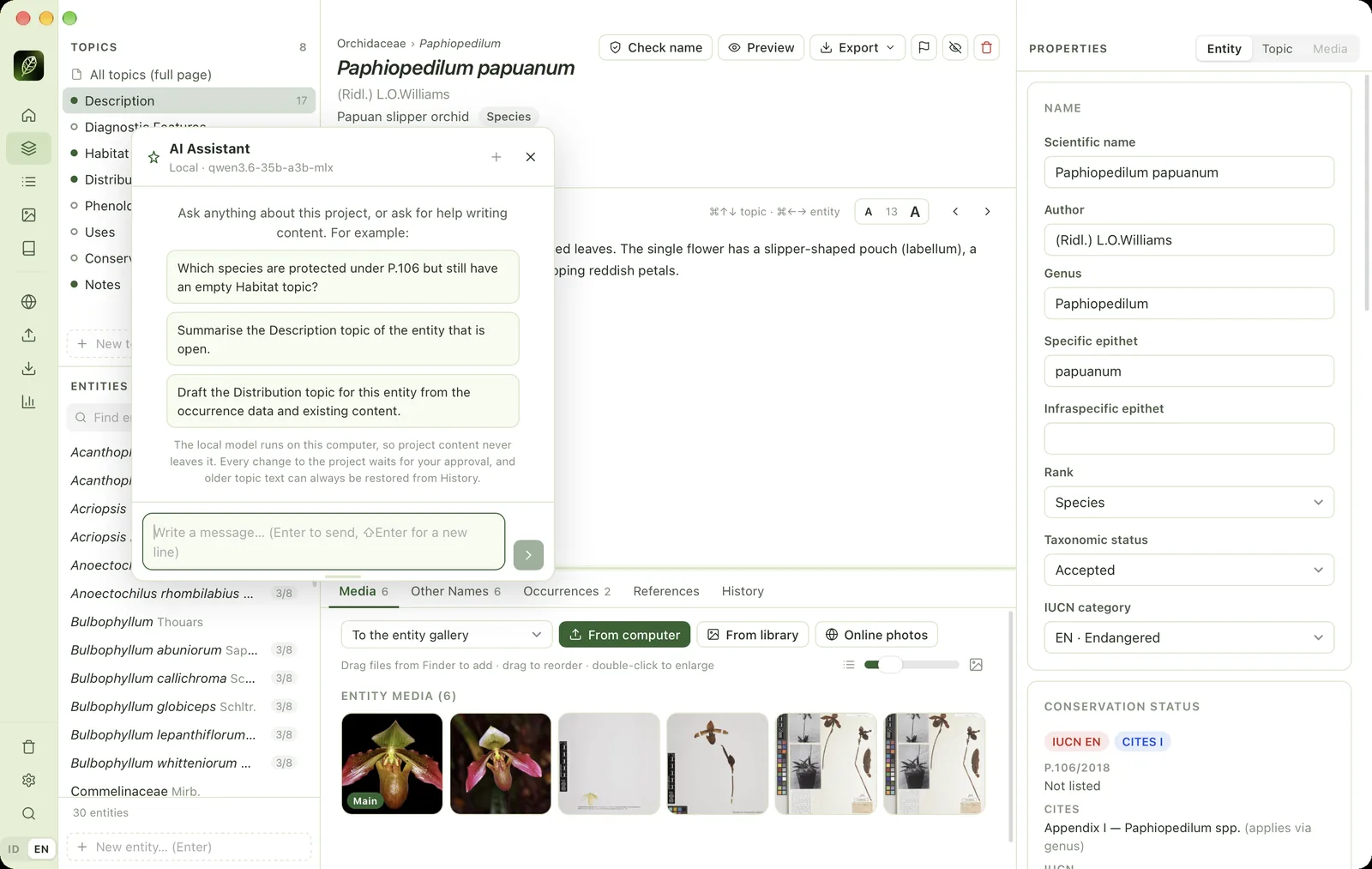
The AI Assistant (⌘J) can answer questions about the project and about using the app, and do tasks such as bulk name checks, completing classifications, drafting topic text or exporting. When the interface is in English, it answers in English.
Setting up an AI provider#
The assistant uses your own API key (bring your own key). Open Settings → AI Assistant, choose a provider (Anthropic/Claude, OpenAI or Google Gemini), paste the key, click Save, then Test key & load models.
- The key is stored in the system key store (Keychain on macOS, Credential Manager on Windows) and is only sent to its provider.
- Usage costs are billed directly by the provider to your account.
- Project content relevant to your question is sent to the AI provider while the assistant works. Read the data policy of the provider you choose.
Local models (free & offline)#
Choose the Local provider to use a model running on your own computer through LM Studio (localhost:1234) or Ollama (localhost:11434). Data never leaves the computer. Use a model of ≥ 14B parameters that supports tool use with a context of ≥ 16,000 tokens, because small models often pick the wrong tool.
Approving changes#
Every action that changes the project waits for your approval: Approve or Reject, or Approve all in this conversation. Permanently deleting media files is always asked. Older text stays in History, and every change made by the assistant is recorded in the change log.
Long jobs (downloads, name checks, exports) appear in the Jobs panel with their progress. The ✕ button next to the message box stops the assistant and its jobs.
MCP server (Claude Desktop & Claude Code)#
If you subscribe to Claude Pro, Max or Team, the project can be used from Claude Desktop or Claude Code without an API key through the MCP server. Open Settings → MCP server to copy ready-made commands:
- Claude Code: run the
claude mcp add …command in a terminal. - Claude Desktop: add the JSON snippet to
claude_desktop_config.json, then restart Claude Desktop.
Read-only mode limits the client to tools that only read. The command contains the paths of the app and the project, so copy it again if either is moved.